Editing Website Content
Tips and help for editing your website content in WordPress.
-
Block Editor – Video, Audio and Embeds

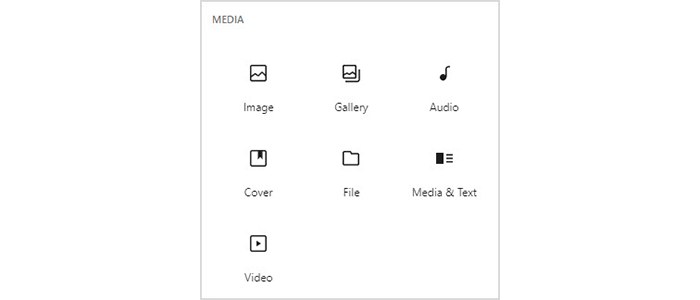
previously published as “Gutenberg Blocks – Video, Audio and Embeds” Adding video or audio with the Block Editor is fairly intuitive and perhaps a clearer and simpler process than with the classic WP editor. Audio The Audio block allows you to upload or select from the library an audio (mp3) file. Alternatively, you can enter…
-
Block Editor – Images

previously published as “Gutenberg Blocks – Images” These are the main blocks in the Block Editor which handle images:- Image Choosing an Image block allows images to be added from your computer or from the media library (ie already uploaded to WordPress), just as in the classic WordPress editor. After uploading/choosing the image, alt text,…
-
Block Editor – Text and Formatting
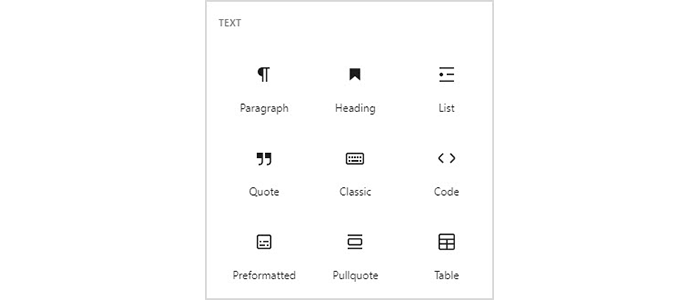
previously published as “Gutenberg Blocks – Text and Formatting” Let’s take a look at each of the standard blocks provided with the Block Editor (previously known as the Gutenberg editor). First, the more typical blocks which deal with text and formatting:- See these other articles for further formatting blocks and image-handling blocks. All of these…
-
Beginning with the Block Editor
Previously published as “Writing with Gutenberg” When you add a new post or page, you will see the Block Editor screen, ready for you to enter content. A “Welcome” help dialogue may be shown, on first using the editor. If you wish to see this again at any time, you can redisplay the Welcome guide.…
-
Adding a Photo Gallery in WordPress
for WordPress Version 3.5 or later. A gallery is a set of images displayed in a post or page as thumbnails, which you can click on to display a larger image. Including a gallery is a very simple process in WordPress and WordPress 3.5 brings a lot of control and versatility. Here’s my sample gallery Here’s…
-
Updating a WordPress Photo Gallery
Here’s how to add new photos to a Page or Post which displays an existing Gallery within WordPress. 1. Upload the new images If your post or page already contains a gallery, you’ll see an image like this within the WordPress editing box:- To add a new photo, you can just click on the WordPress…
-
Easily Add Video to a WordPress Post or Page
for WordPress Version 3.1 or later. The easiest way to add video to a WordPress post or page is to do it via YouTube. YouTube takes care of hosting the video files and managing file formats – whatever format your video is in, YouTube will convert it so that it can be viewed over the…
-
Controlling Your WordPress Website Front Page
Here’s a question from one of my WordPress clients:- How do I control which is the front page of my website? WordPress basically has two options for that front (or home) page:- About WordPress Posts and Pages To completely “get” this, you need to understand the following about WordPress terminology:- A “post” is your typical blog entry…
-
How to Easily Add Video to a WordPress Post or Page
The easiest way to add video to a WordPress post or page is to do it via YouTube. YouTube takes care of hosting the video files and managing file formats – whatever format your video is in, YouTube will convert it so that it can be viewed over the internet without concern about different video…
-
Help for Adding or Editing a Blog Post
Log in to WordPress and click on Posts. To write a new post, click on Add New…, to edit an existing one, click on its title in the list. Using the WordPress editor is quite similar to writing an email and most of the buttons will seem quite familiar. If you need a little extra help,…